Meter and power price
What Thuisbord receives
Which meter values Homey or Home Assistant sends, how your consent works, and how to renew the key or disconnect the meter.
Homey or Home Assistant sends the meter readings to Thuisbord, so every screen at home can show them. Only what is needed is sent, and only after you agree.
The values
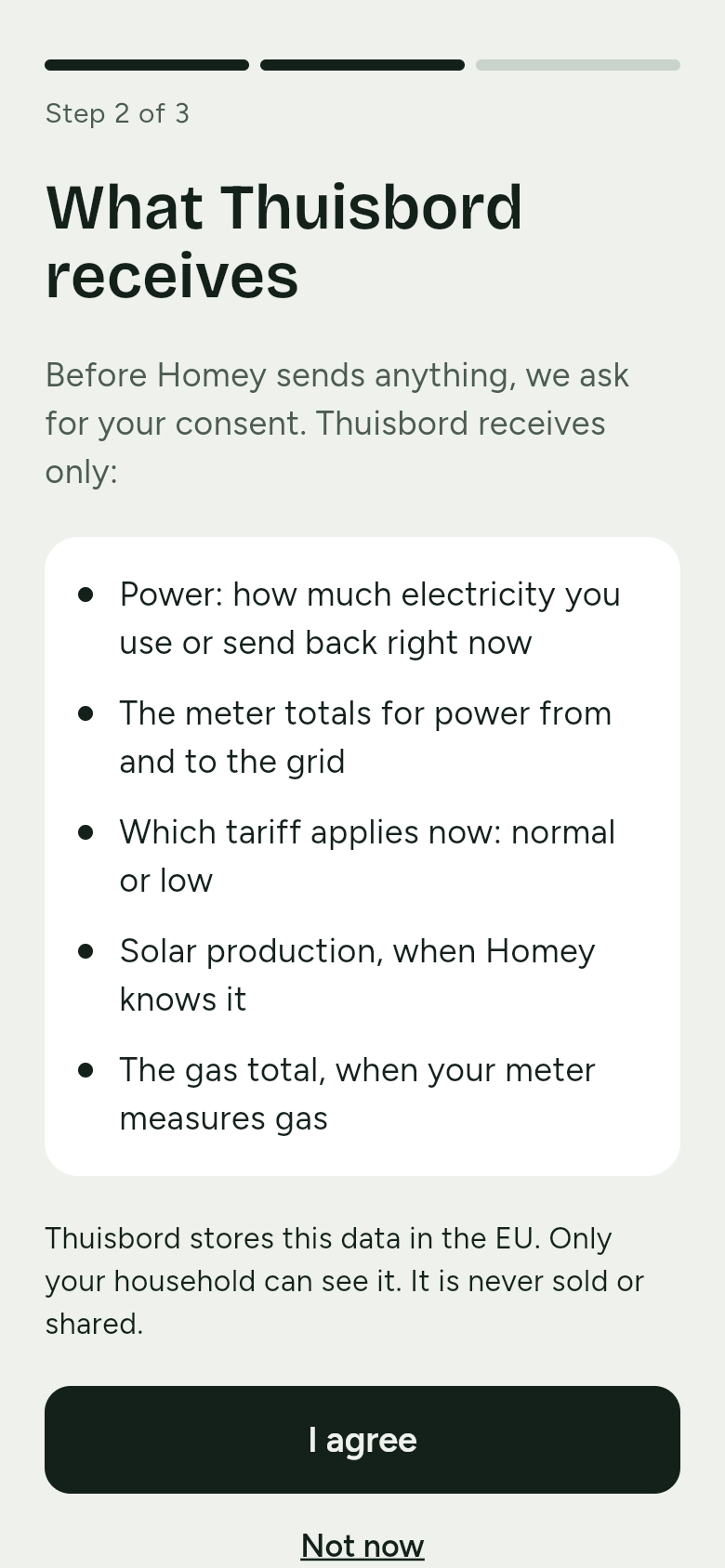
Thuisbord receives only:
- Power: how much electricity you use or send back right now
- The meter totals for power from and to the grid, when your meter gives them
- Which tariff applies now: normal or low, when your meter reports it
- Solar production, when Homey or Home Assistant knows it
- The gas total, when your meter measures gas
Only power is needed. If your meter gives no totals or no tariff, Thuisbord fills that in itself; see how for Homey and for Home Assistant.
Each reading comes with the time it was measured. Homey or Home Assistant sends at most one reading every 10 seconds; Thuisbord keeps one per minute.
Consent
Before Homey or Home Assistant sends anything, your phone shows exactly which values they are, at What Thuisbord receives.
- I agree starts it. Only then does Thuisbord accept readings, even when the connection key is already right.
- Not now sends nothing.
Renewing the connection key
The connection key can only add readings for your household. If you think someone else has it, make a new one:
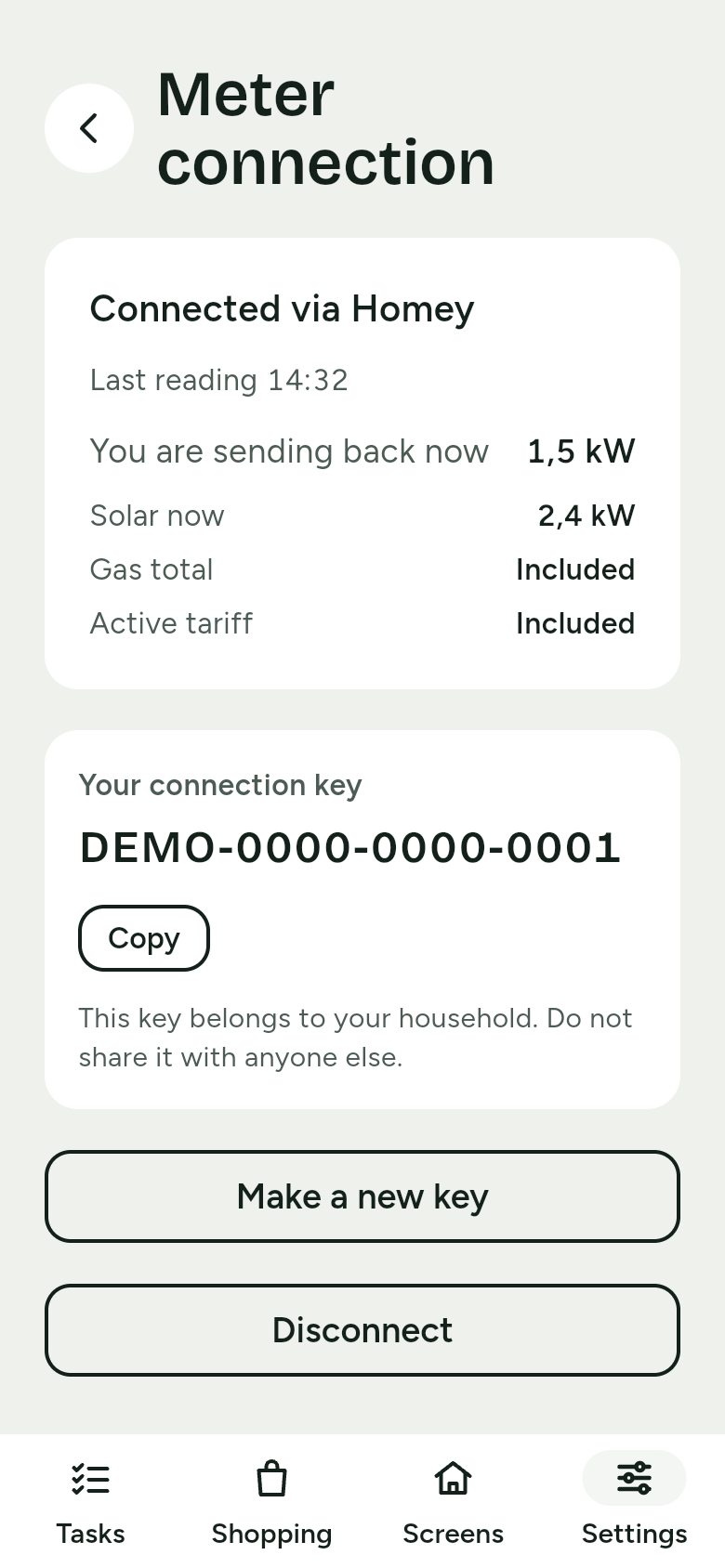
- On your phone, go to Settings › Meter connection.
- Tap Make a new key and confirm at Make a new connection key?.
- The current key stops working at once. Paste the new key into the settings of the Thuisbord app on Homey, or into your Home Assistant connection.
Disconnecting the meter
Go to Settings › Meter connection, tap Disconnect and confirm at Disconnect the meter?. Thuisbord then receives no more readings and the connection key stops working. The energy cards then show no live data; the family cards keep working.
Our promises
This is what we promise about your data, exactly as on the privacy page.
Meter readings only after you agree, for your household only
Your own Homey or Home Assistant sends your meter readings to Thuisbord, so every screen in your home can show them. That only starts once you agree during setup; before that, the phone shows exactly which values Thuisbord receives. Only what is needed is sent: current power, and when your meter reports them, the import and export totals, the active tariff, and solar and gas.
Thuisbord stores the readings in the EU, and only your household can see them. We never sell or share them, and never write them to logs.
If you disconnect Homey or Home Assistant, nothing more is sent. If you delete your household, Thuisbord deletes its readings too.
Family data is stored in the EU, for your household only
Family member names, tasks, shopping items, calendar links and photos have to show up on several devices. That is why Thuisbord stores them on servers in the EU, and only your household can see them.
Children do not get an account. For them, Thuisbord stores no more than a first name and a colour.