The screen
Reading the screen
What Home, Prices, Family and evening mode show, and what the colours mean.
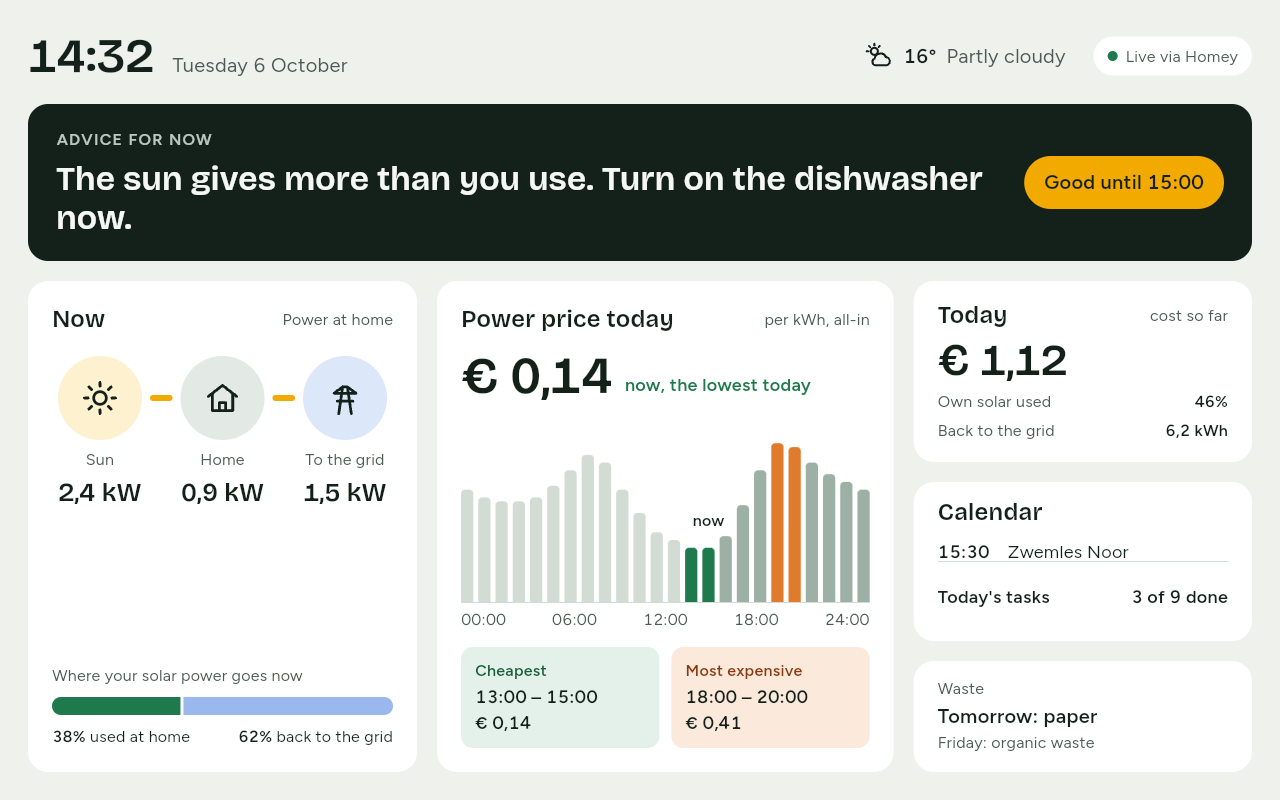
The screen on the wall is made to be read from a distance, in a couple of seconds and without touching it. It has four views: Home, Prices, Family and evening mode.
Home
At the top are the time, the date and the weather. At the top right you see whether readings are arriving, for example Live via Homey.
- Advice for now: one sentence about what is smart right now, such as The sun gives more than you use. Turn on the dishwasher now. The advice changes at most once every 15 minutes. When nothing special is going on, it shows a plain status line.
- Now: how much power comes from the sun right now, what the home uses, and what goes to or comes from the grid. Without solar panels you see only the home and the grid.
- Power price today: the price right now, per kWh and all-in, with the cheapest and the most expensive moments of the day. With a fixed contract, the Power price card is here instead.
- Today: what power has cost so far today. The figures start again at midnight.
- Calendar, Today's tasks and Waste: the next appointments, how many tasks are done, and which bin goes out tomorrow.
Touch a card to see more: the price opens Prices, Today opens today's cost by part of the day, and the tasks open Family. The arrow at the top left takes you back to Home.
Prices
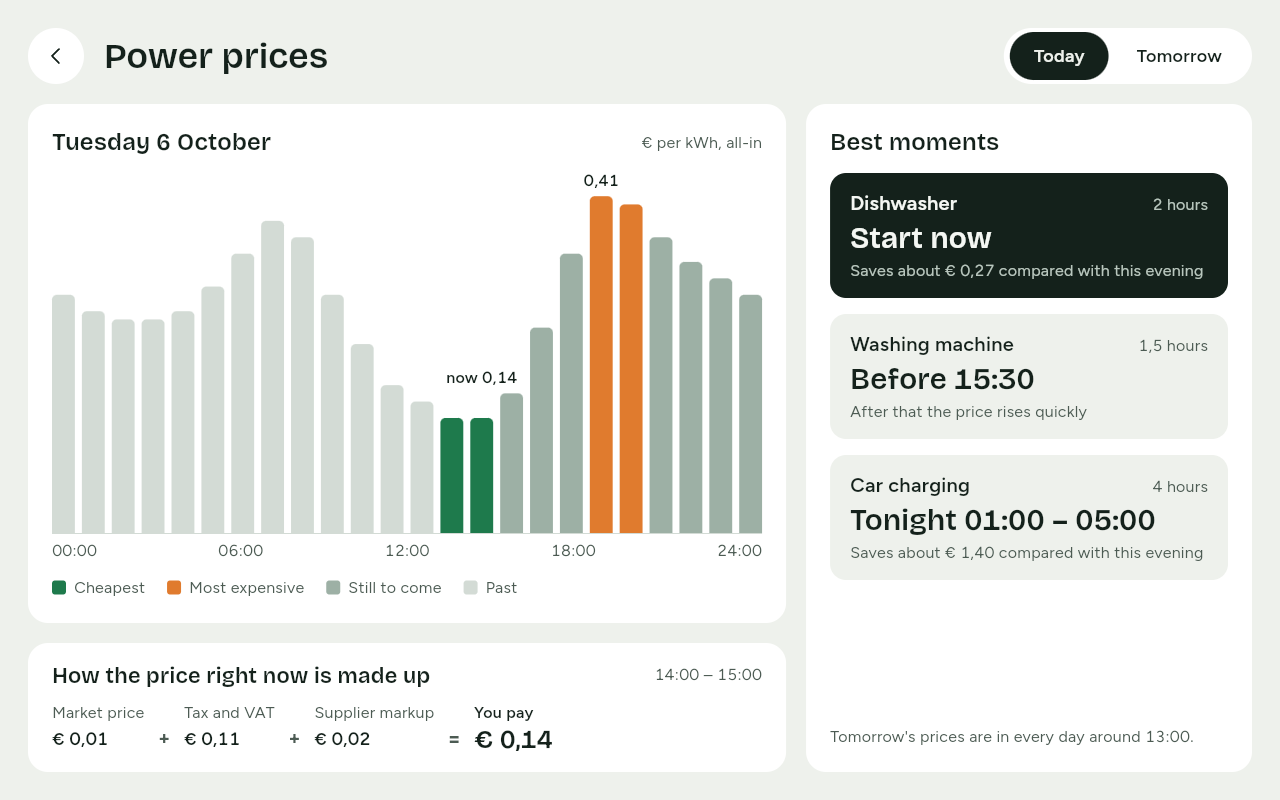
Power prices shows the price per hour or per 15 minutes, for Today and, once they are in, Tomorrow.
- The bars show the price; now is marked above them. Cheapest and Most expensive have a colour of their own, and what has passed is lighter.
- Best moments: when best to run an appliance, such as the dishwasher or the washing machine.
- How the price right now is made up: Market price, Tax and VAT and Supplier markup together make what You pay.
Family
Family shows Today's tasks per family member, the Shopping and the appointments of This week. You tick off tasks and shopping here with one touch. See Tasks and The shopping list.
Evening mode
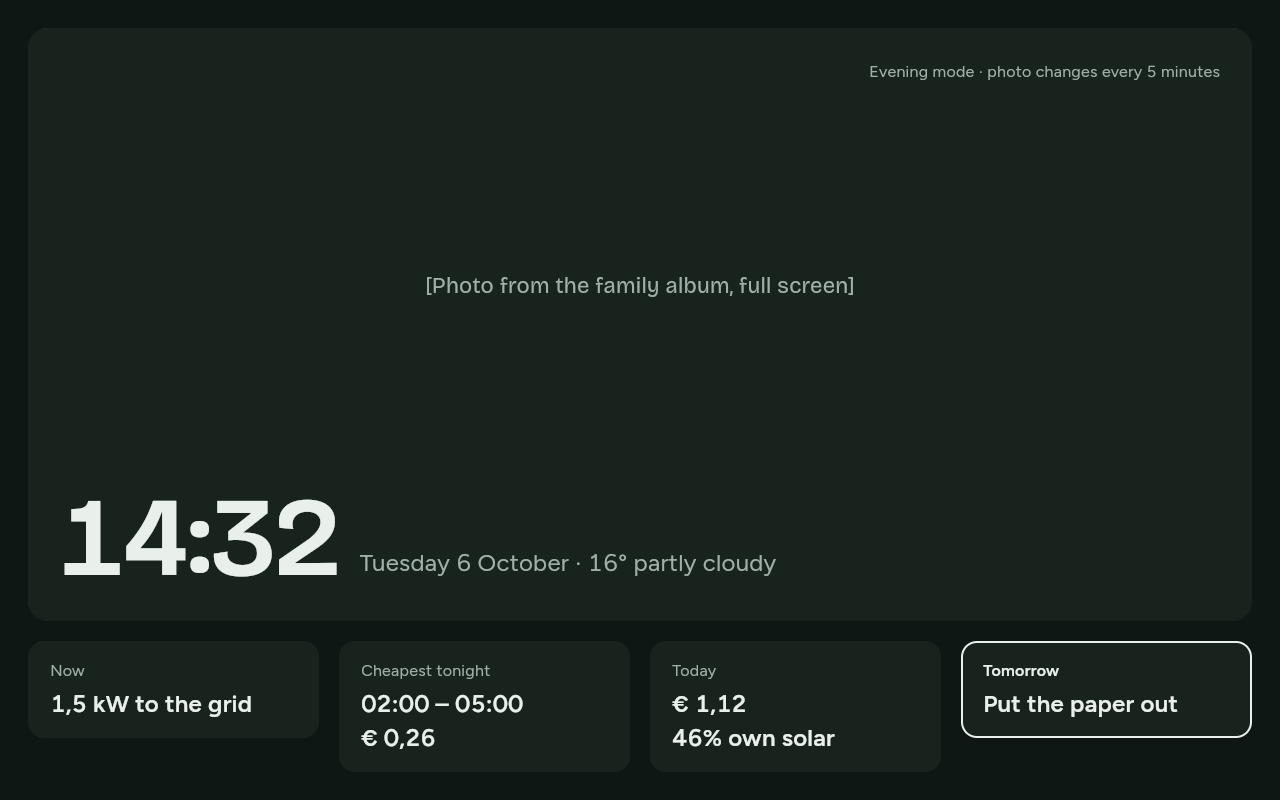
In the evening, between times you choose yourselves, the screen goes into evening mode. It turns dark and dims, and shows your photos with a thin strip below: Now, Cheapest tonight, Today and what is due Tomorrow.
Touch the screen, or press an arrow key or OK on the remote control, to go back to Home for two minutes.
What the colours mean
Four colours always mean the same thing on the screen:
| Colour | Meaning |
|---|---|
| Amber | The sun: solar power, and moments that are good because of the sun |
| Green | Cheap or good |
| Orange | Expensive |
| Blue | The grid: power from or to the grid |
A colour is never the only sign: there is always a word or a position with it, such as Cheapest or Most expensive. Family members have colours of their own, which are never amber, green, orange or blue.
Approximately and stale
- When it says Approximately, the amount is an estimate.
- When the last reading is older than a minute, the screen says when it was, such as Last reading 14:32. See Troubleshooting if it stays that way.